
An assistant that answers your visitors at any hour.
It talks with the people who visit your website, answers from the information you gave it and shows your team what people want. You decide what it knows, how much it may spend and what it may look up.
A front desk that never takes a day off, and follows your rules.
Answers at any hour
Questions about your services, prices, opening hours or your work, answered right away, at night and on weekends too.
Uses your information
It follows the texts you wrote and looks up your other documents when a question calls for it.
Stays within your budget
Daily usage limits you set: AI spending never goes past the cap.
Tells you what people want
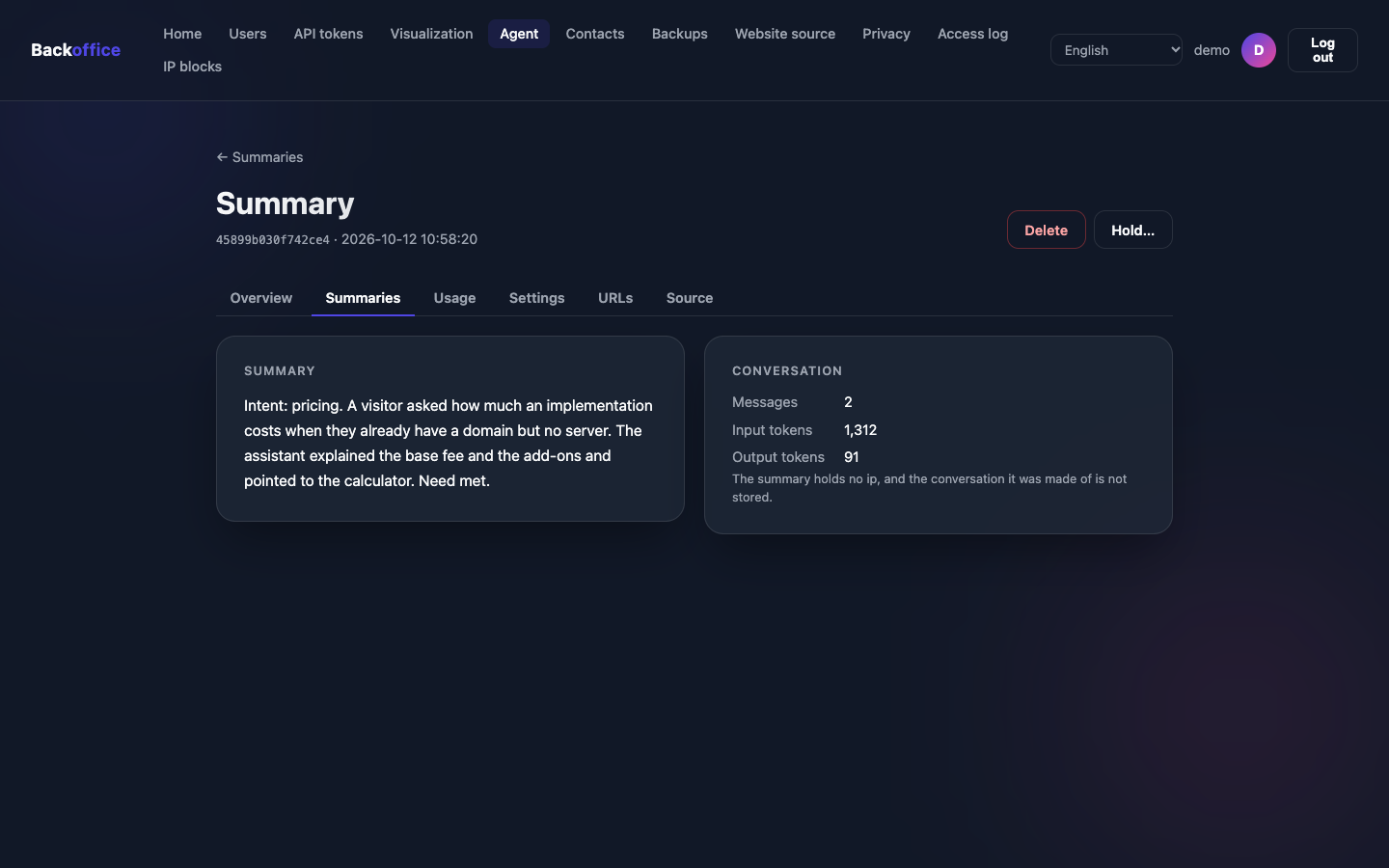
Anonymous summaries of conversations, when the visitor chooses to send one to your team.
Is honest with visitors
It says it is an AI, does not pretend to be a person and does not reveal its internal instructions.
Looks up current data
If you allow it, it checks a price list or another page of yours to answer with today's information.
You teach the assistant with plain texts.
Everything it knows comes from documents you write, as if you were briefing a new receptionist: who you are, what you offer, prices, opening hours, common questions and the tone to use.
- Write them yourself, or explain it all in a conversation and, with the set-up service, the texts are written for you.
- Changed a price? Update the text, and the assistant answers with the new information.
- Long documents, such as a price table or a returns policy, are only read when a question calls for them.
- The texts are kept on GitHub, with the history of every change.
Example Consulting's assistant
You answer the visitors of Example Consulting's website, in London.
- Answer in English, in a friendly and concise way.
- We are open Monday to Friday, 9 am to 6 pm.
- To talk about prices, read the prices document.
- To book a meeting, point to the contact form.
- Do not promise deadlines: say the team confirms by email.
You decide how much it may spend.
AI providers bill by the amount of text the AI reads and writes, counted in “tokens” (pieces of words). Emissario checks the limits before each answer, so a busy day never goes past the cap you set.
- When a limit is reached, the visitor is asked to come back later, and the chat opens again at midnight.
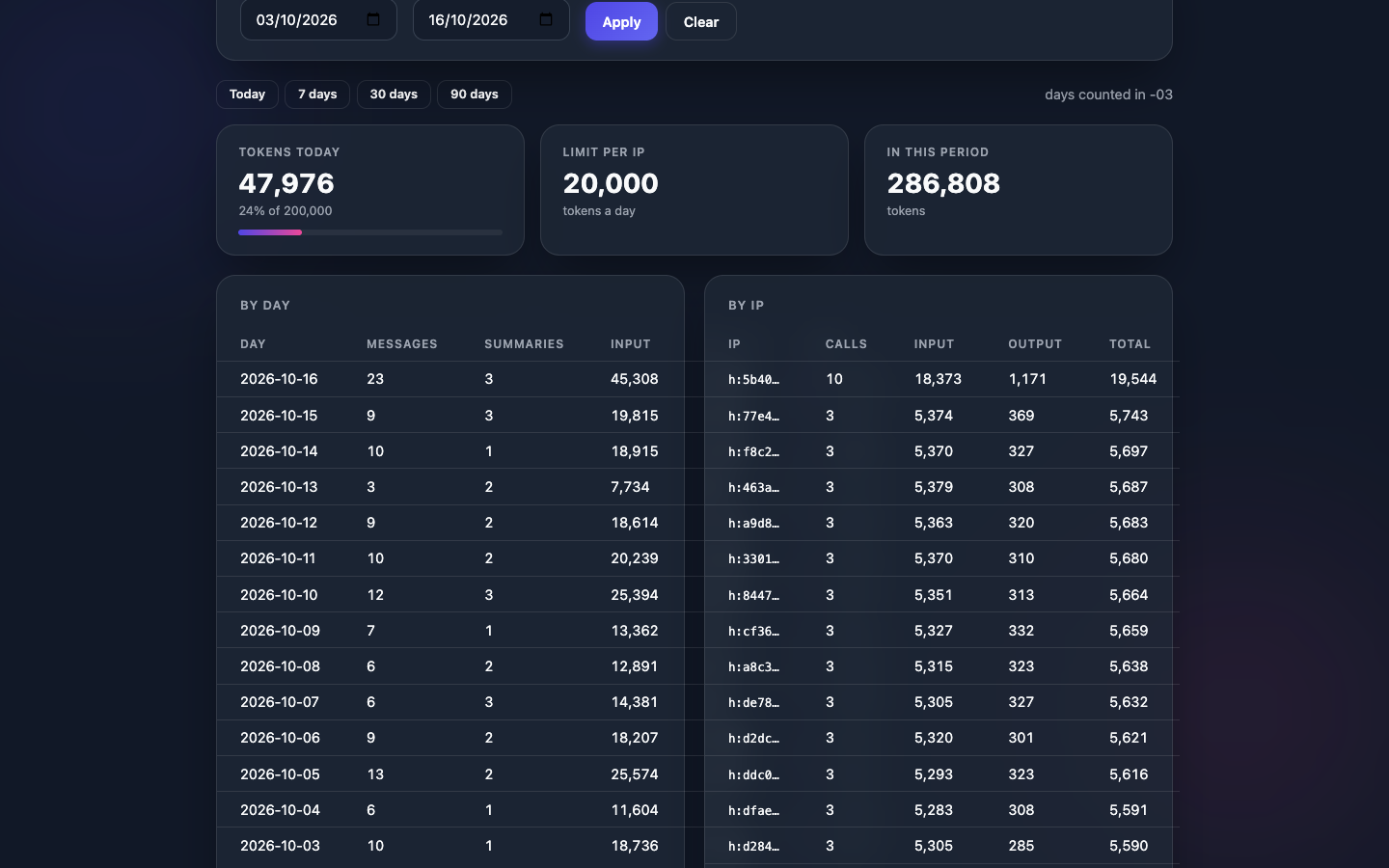
- The dashboard shows each day's usage next to the limit, and who reached their own limit.
Learn what visitors ask, without learning who they are.
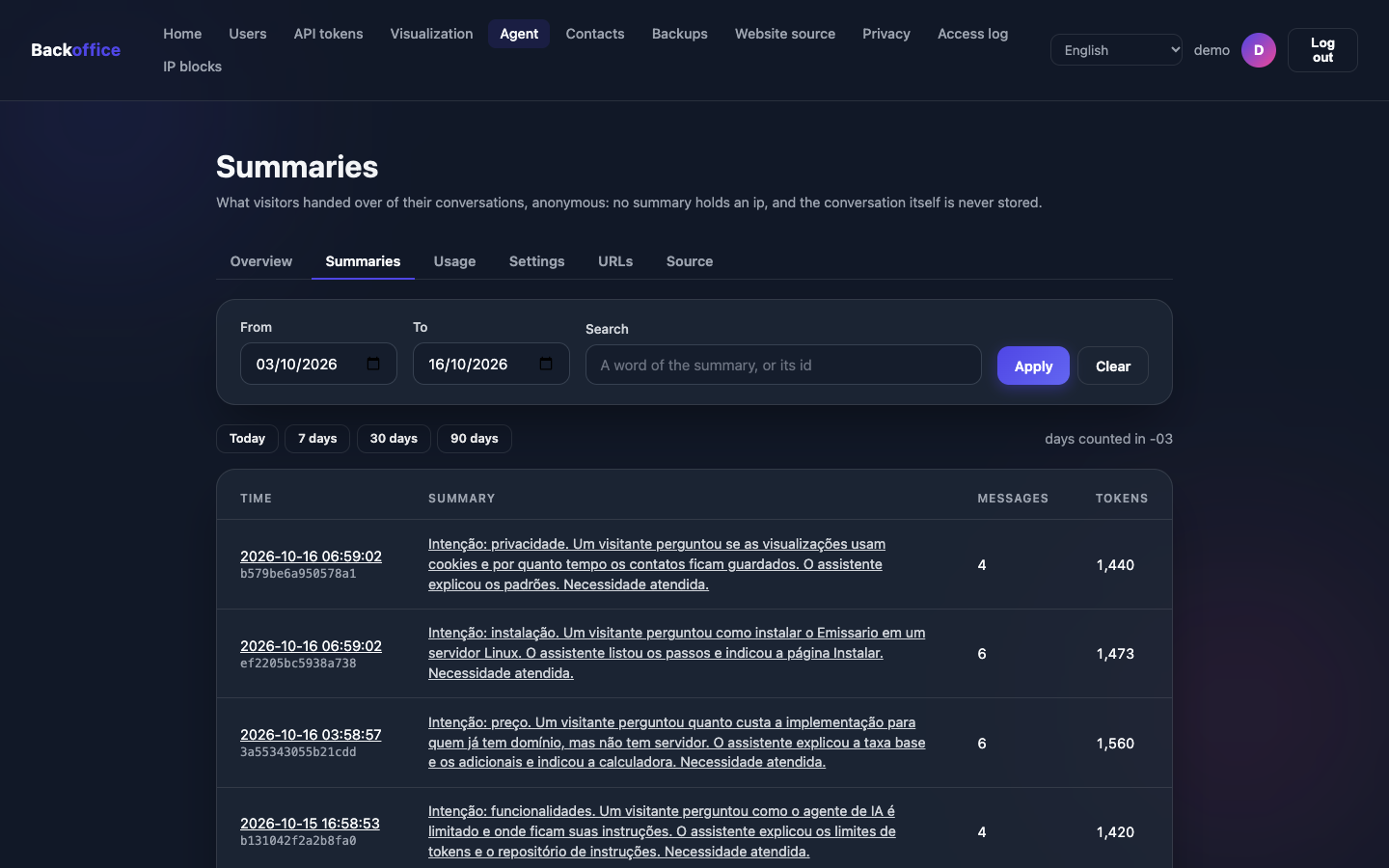
At the end of a conversation, the visitor can send a summary to your team. That is how you find out the most common questions, the requests for quotes and what your website is missing.
- 01
The visitor chooses to send
A button in the chat, after an answer. Nothing is sent unless they ask.
- 02
The AI writes a summary
Without names, dates, places, documents, phone numbers, emails or addresses.
- 03
An automatic check cleans up the rest
Whatever still looks like an email, a phone or a card number is replaced by a label.
- 04
Your team reads it on the dashboard
Stored encrypted, without the visitor's internet address, for 90 days by default.
Intent: pricing. A visitor asked for a quote and to be contacted at ana@example.com [email] or +1 202 555 0100 [phone].
- Search the summaries by date or by word.
- Summaries stay off until you turn them on, after a notice on the personal data they may hold.
- An AI can make mistakes, so a summary is protected as personal data and can be erased on request.
- This site's chat has the Send a summary to the team button: try it.
Honest with visitors, by default.
It says it is an AI
In its first answer and whenever asked, and it never poses as a person. The chat also says so before the first message, as the EU AI Act asks.
The conversation stays with the visitor
It is kept in the visitor's browser, not on the server, with a digital signature: nobody can forge an answer from the assistant.
It keeps your secrets
It never reveals its internal instructions, passwords or system addresses, and does not obey orders hidden in the documents it reads.
What the AI provider receives
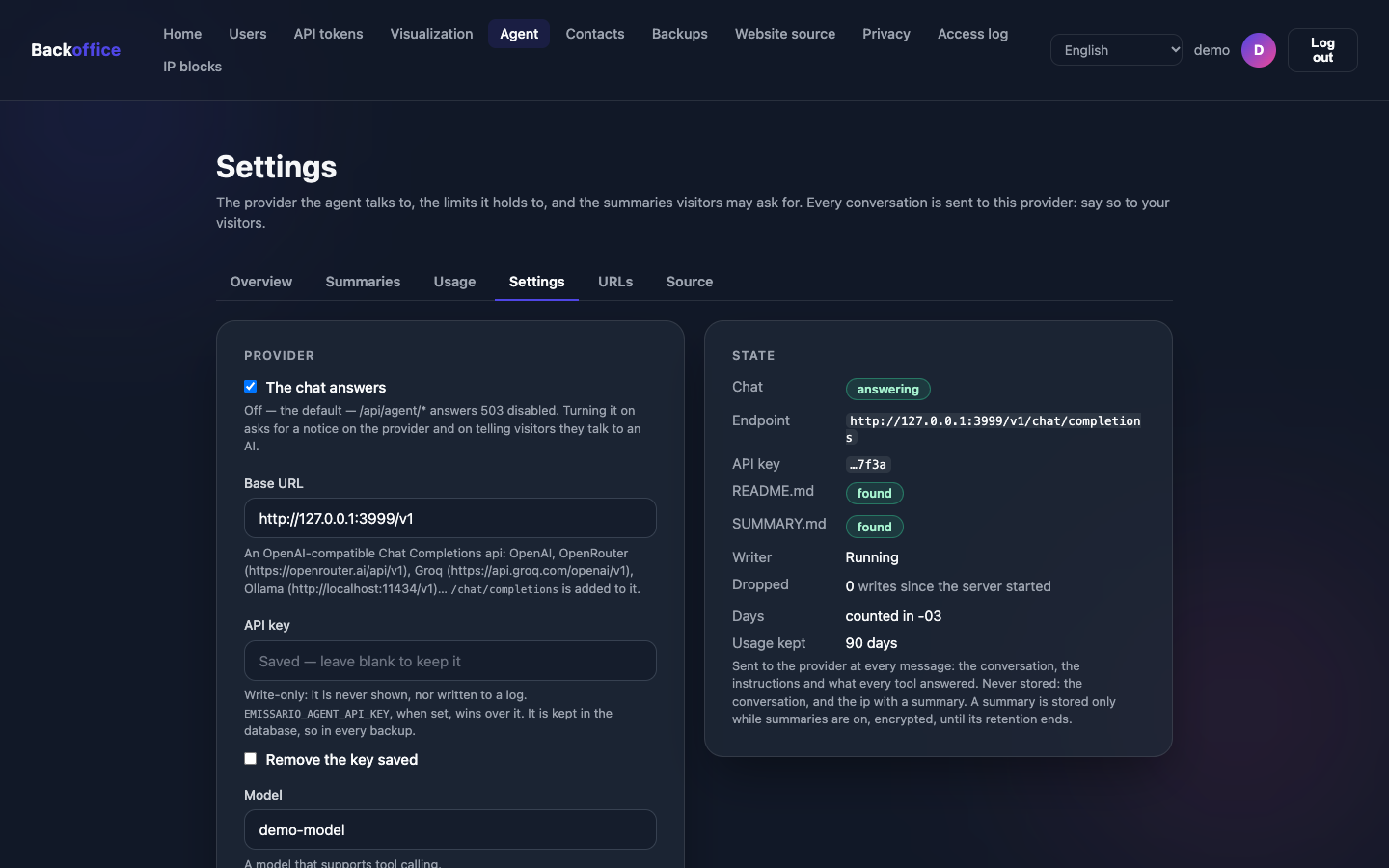
The AI provider is another company, which receives the conversation to write each answer. Sign a data processing agreement with it, or use a model on your own server, with Ollama, so that conversations never leave your infrastructure.
| Sent | With each message |
|---|---|
| The conversation | Every message of the visitor and of the assistant, as typed. |
| The instructions | Emissario's rules and your instructions. |
| What it looked up | The documents it read and what the pages it checked answered. |
| A summary request | The whole conversation again, only when the visitor asks. |
Pick the AI you prefer.
The assistant works with several AI providers. You use your own account and pay them directly, or you run a model on your own server.
- OpenAI
- OpenRouter
- Groq
- Ollama (on your server)
- The key to your provider account stays hidden: the dashboard shows at most its last four characters.
- With Ollama, conversations never leave your infrastructure and there is no per-message cost.
Let it look things up, only where you allow.
You can allow the assistant to check specific addresses, such as a price list or a calendar of open slots, to answer with up-to-date data.
- It only checks what you registered, by name. Never an address it made up.
- The passwords to those addresses stay hidden, even from the AI model itself.
Anything the assistant can look up, any visitor can ask it about. Only allow information that may be public.
Technical details.
How the assistant works inside, for whoever evaluates or installs it. The agent documentation has everything.
The path of a message
- The browser sends the whole conversation and the signature of the last answer to
POST /api/agent/messages. The history stays in the visitor's browser. - Emissario checks the origin, the IP blocks, the signature, the requests per minute and the tokens left today, before calling any model.
- The rules come in: Emissario's own first, then your
instructions/README.md. No message can change them. - Tools: the model can list and read the files of
instructions/, or call the declared URLs, in up to 5 rounds per message. - The answer comes back signed with HMAC-SHA256. Emissario records the tokens used, never the conversation.
The instructions repository
- The agent repository is synced like the website: on a schedule, or with the Sync button. The files are read on every message.
instructions/README.mdholds the system instructions. Without it, the chat answers503 no-instructions.instructions/SUMMARY.md, optional, adds rules for summaries, such as classifying the intent.- The model lists and reads the other files as it needs them, up to 64 KiB each. Hidden files are left out.
emissario drop-agents-skillswrites the skill Claude Code, Codex and Antigravity load to write these files.
my-agent/
└── instructions/
    ├── README.md      # who the agent is, what it answers
    ├── SUMMARY.md     # optional: rules for summaries
    ├── pricing.md     # read when a visitor asks
    └── policies/
        └── refunds.md
Limits and defaults
| Setting | What it limits |
|---|---|
max-tokens (default 1024) | Output tokens of each call to the provider. |
daily-limit | Input and output tokens of the day, all visitors together. |
ip-daily-limit | The tokens of one IP in a day; an IPv6 address counts by its /64. |
rate-per-minute (default 10) | Requests per minute from one IP. |
- A call in flight reserves
max-tokensuntil it answers, so concurrent requests never pass a limit together. - Every tool round and every summary counts, input and output.
- Over a limit:
429 daily-limitorip-daily-limit, until midnight. - A conversation: up to 50 messages, 4,000 characters per message, 64 KiB per request, 60 s per answer with tools.
- Usage is kept for 90 days, with the IP hashed by default; a viewer sees IPs masked.
Providers and the API key
Any model compatible with the OpenAI API that supports tool calling. Emissario calls <base-url>/chat/completions.
| Provider | Base URL |
|---|---|
| OpenAI | https://api.openai.com/v1 |
| OpenRouter | https://openrouter.ai/api/v1 |
| Groq | https://api.groq.com/openai/v1 |
| Ollama (local) | http://localhost:11434/v1 |
- The API key is write-only: a page shows at most its last four characters, never to a viewer, never in a log.
EMISSARIO_AGENT_API_KEYtakes precedence over the key saved in the backoffice.
Summaries
- The chat sends the conversation and the signature to
POST /api/agent/summaries; a conversation the agent never had is refused. - The second pass replaces a CPF, a CNPJ, an email, a phone and a card number with
[cpf],[cnpj],[email],[phone]and[card]. - The visitor gets a 16-character reference. A root deletes one summary, or all of them before a date, and can put one on legal hold.
URLs the agent may call
- Each URL has a name, a description, GET or POST, and headers the server itself adds.
- The model never writes a URL: it calls an endpoint by its name.
- Headers are write-only: never shown to the model, to a viewer, or again to a root.
- No redirect is followed; only text or JSON is read, cut at 32 KiB, within 10 seconds.
- name
- implementation-prices
- method
- GET
- url
- https://example.com/prices.json
- description
- The prices of the plans. Call it before talking about prices.
- headers
- Authorization: ••••••••
Talk to it. Then get your own.
This site's chat runs on Emissario. Ask it anything, then see how to have an assistant like it on your website.