
What your website needs, all in one place.
The AI assistant, statistics, a contact inbox, security, privacy and backups come together, on your server. For your IT team, each feature has its technical details right below it, and the full documentation is on GitHub.
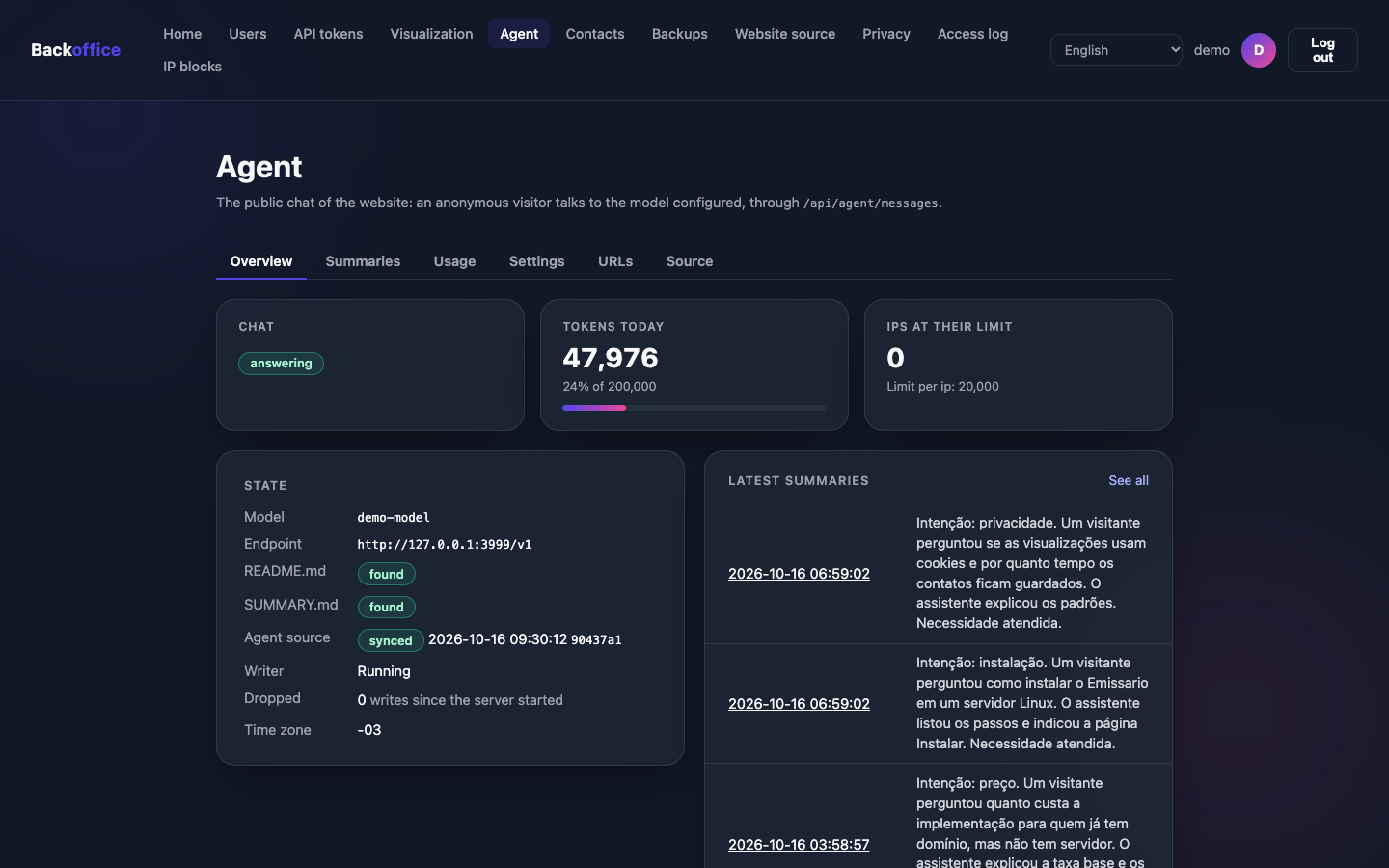
AI assistant
The heart of a website that answers back.
An assistant that answers for you
It talks with visitors at any hour, from the information you gave it, within the spending limit you set.
- You teach the assistant with plain texts, and it answers with the new information as soon as you update them.
- Spending under control: daily caps for the whole site and for each visitor.
- Conversation summaries: anonymous, sent to your team only when the visitor chooses to.
- It says it is an AI, and the conversation stays in the visitor's browser, not on the server.
- Works with OpenAI, OpenRouter, Groq or a model on your own server (Ollama).
Technical details
- A public chat API,
POST /api/agent/messages, with any OpenAI-compatible model that supports tool calling. - Instructions in the
instructions/folder of a git repository, synced like the website. - Limits: output tokens per call, tokens per day for everyone and per IP, requests per minute; usage per day and per IP in the backoffice.
- History signed with HMAC-SHA256; Emissario stores no conversation.
- The model can only call the URLs you declare.
Publishing
Your website always up to date, without touching the server.
Publish a change, and it goes live on its own
Your website's files are kept on GitHub (or a similar service). Emissario fetches the newest version by itself and puts it online. Nobody needs to log into the server to change a sentence.
- Automatic updates, at the interval you choose, or right away with the Sync button.
- If something goes wrong during an update, the website stays online as it was.
- The history of every change is kept on GitHub.
Technical details
Emissario serves the frontend/ folder of a git repository, as committed, and pulls its branch on a schedule, or on demand from a button or the API. Publishing the website is a git push.
- repository
https://,ssh://,git://,file://oruser@host:path- interval
- from 10 seconds to 720 hours, or on demand with Sync
- credentials
- none stored: git runs with the SSH keys or the credential helper of the server's user
- a failed fetch
- leaves the website as it was
my-site/
└── frontend/
    ├── index.html         → /
    ├── about.html         → /about
    ├── blog/index.html     → /blog/
    ├── not-found.html     → 404
    └── assets/            → /assets/…
Website Source documentation
- Someone edits the website and saves the change on GitHub.
- Emissario notices the new version, at the next interval or with the Sync button.
- The website is updated for every visitor, without going offline.
Visits and contacts
Know your audience without tracking it.
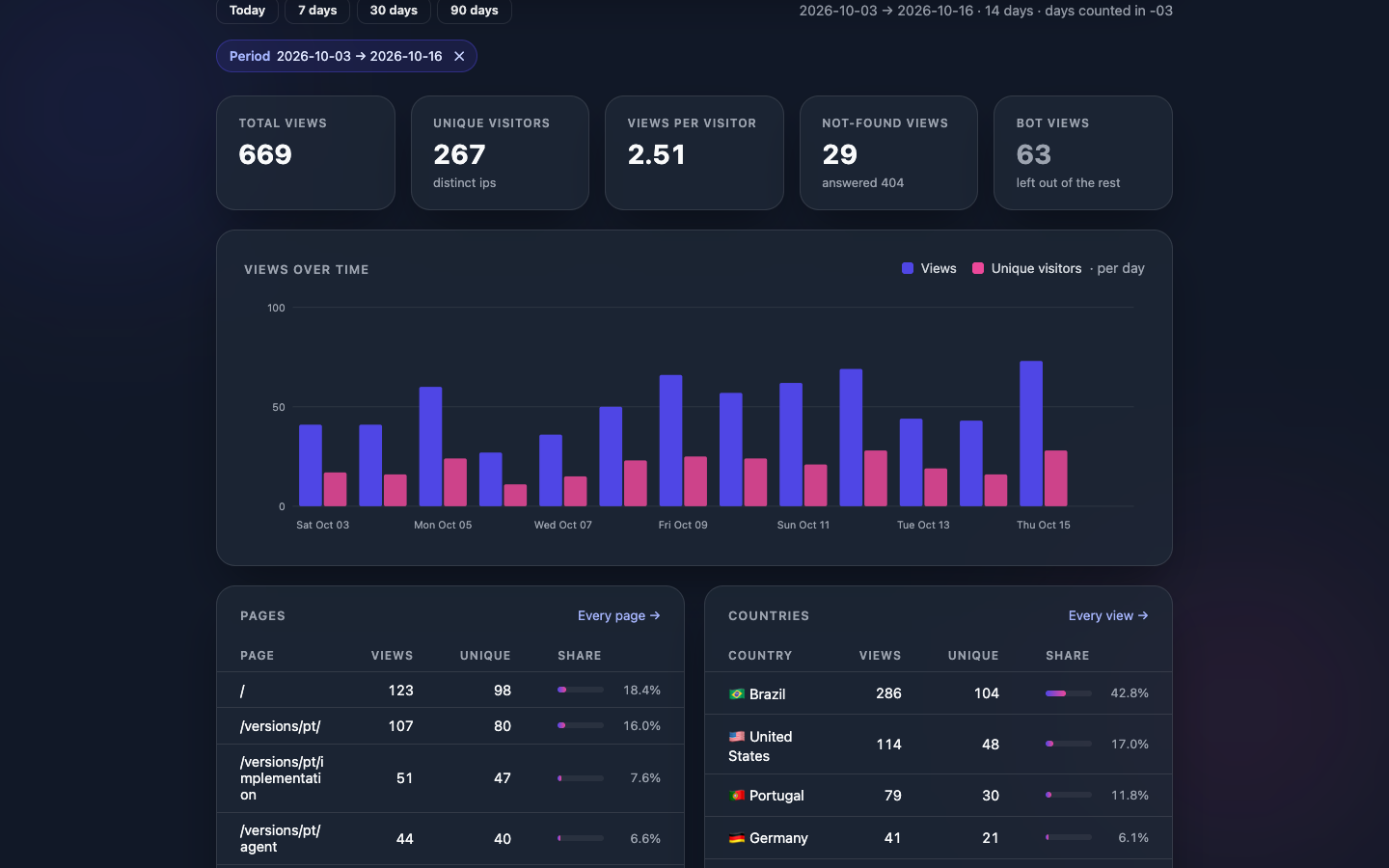
Visit statistics, without cookies
See which pages are read the most, which countries visitors come from, on which devices and browsers, and from which websites they arrived. The server counts the visits itself: no data goes to advertising or analytics companies.
- Charts over time, by page, country, device and browser; every row becomes a filter.
- Bots are counted apart, so they do not inflate the numbers.
- Pages that were not found show up too, so you can fix broken links.
- Export the data as a spreadsheet (CSV).
Technical details
- The server records each page view (page, time, country, device, browser, OS, referrer) with no cookie, no tracking script and no third-party service.
- The country is looked up locally, in the DB-IP IP to Country Lite database embedded in the binary: the IP goes nowhere.
- Ignored IPs, 90-day retention by default, IP hashed by default.
- A viewer sees visitors' IPs masked.
An inbox for your website's contacts
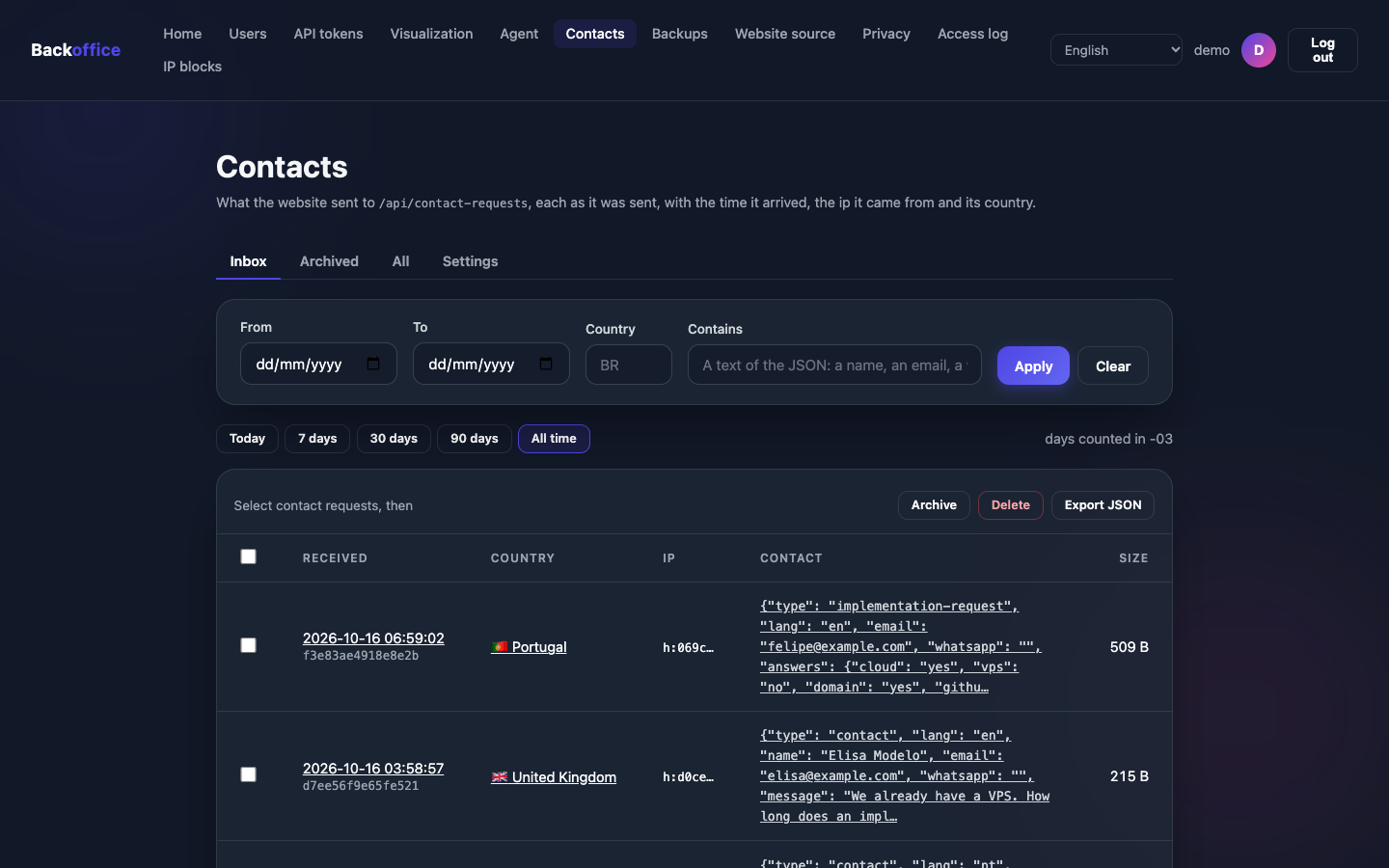
The messages of your website's form, and requests for quotes, arrive in an inbox on the dashboard, with their date, time and country.
- Search by date, country or any word.
- Archive what has been answered.
- Protection against mass sending: a limit of messages per minute from each visitor.
- The form keeps working even while a backup is taken.
- Off until you turn it on, after a notice on the personal data it keeps.
Technical details
POST /api/contact-requestskeeps any JSON the website sends, exactly as it arrived, with its time, IP and country.- 5 requests per minute per IP by default, an optional daily limit and a body of at most 16 KB by default.
- A request never waits for the database. Kept for 180 days by default.
await fetch("/api/contact-requests", {
  method: "POST",
  headers: { "Content-Type": "application/json" },
  body: JSON.stringify({ name, email, message })
});
Team and security
Who can get in, and from where.
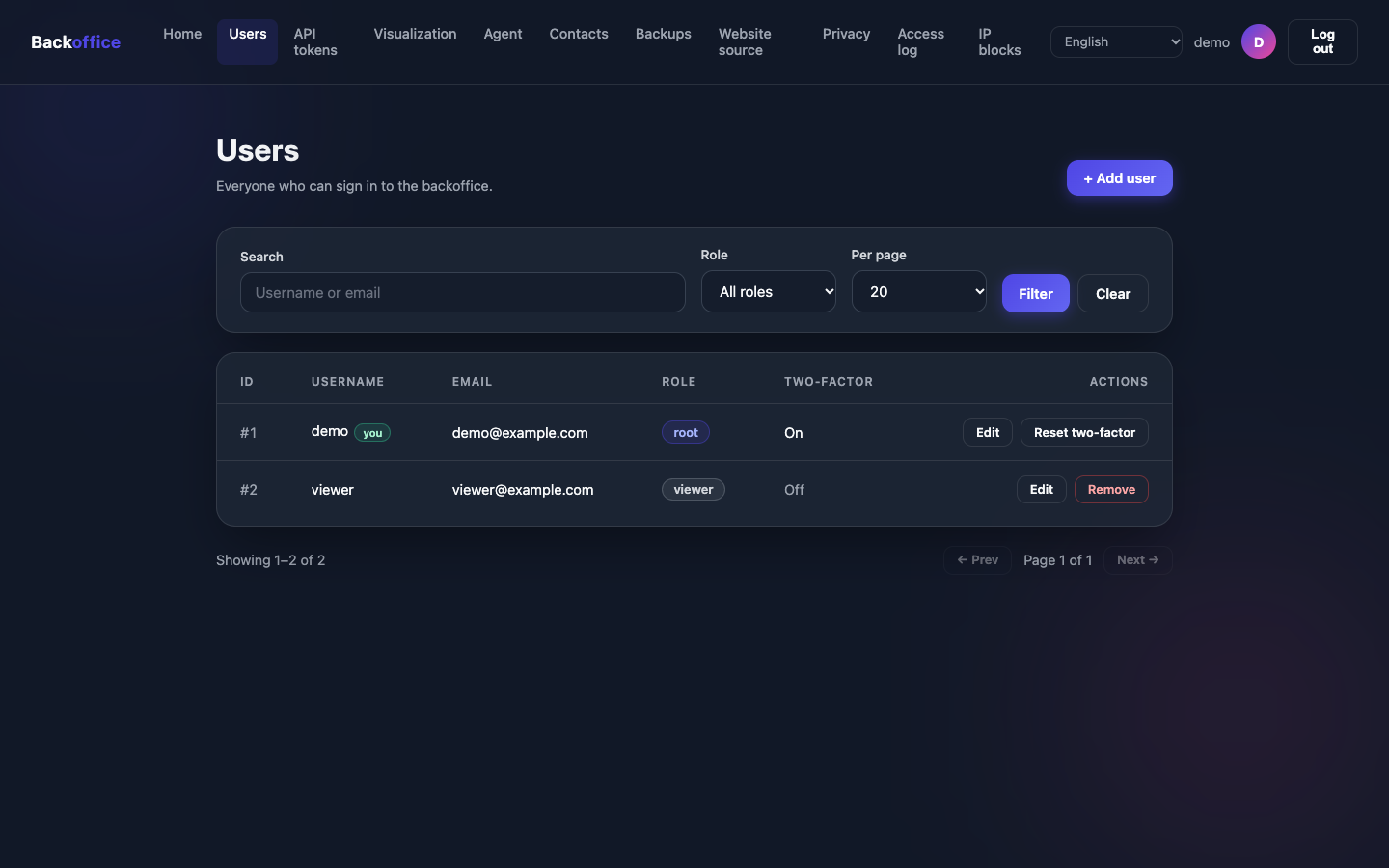
A dashboard for your team
Each person has their own sign-in, in English or Portuguese. Admins change the settings; readers only follow along.
- Strong passwords required: short or common passwords are refused.
- Sign-in attempts are limited, to stop anyone guessing passwords.
- Sessions that expire on their own.
- Nobody gets locked out: the last admin cannot lose their admin rights.
Technical details
- A sign-in at
/adminwithrootandviewerusers, sessions, API tokens and a JSON twin of every page under/api/admin. - A viewer reads, and sees other users' emails masked.
- Passwords hashed with PBKDF2-HMAC-SHA256 (600,000 iterations), at least 12 characters.
- Sign-in attempts limited per IP and per account.
- 30-minute sessions in an HttpOnly, SameSite=Strict cookie, and a Content Security Policy that runs no inline script.
- A root cannot remove themselves, and the last root cannot be demoted.
Sign-in with a phone code
On top of the password, each person can require a 6-digit code from an authenticator app on their phone. Even if someone finds out the password, they cannot get in without the phone.
Scan the QR code
With the authenticator app on your phone.
Confirm a code
Type the 6-digit code the app shows.
Sign in with both
From then on, every sign-in asks for a code.
- Lost your phone? An admin resets it from the users page.
Technical details
- TOTP at
/admin/set-totp, with a QR code or the base32 secret. - Turning it on ends the user's other sessions and revokes their API tokens.
- Readers of the Marco Civil access log sign in with two factors while the log requires it (Decreto 8.771/2016, art. 13).
$ emissario reset-backoffice-totp --username admin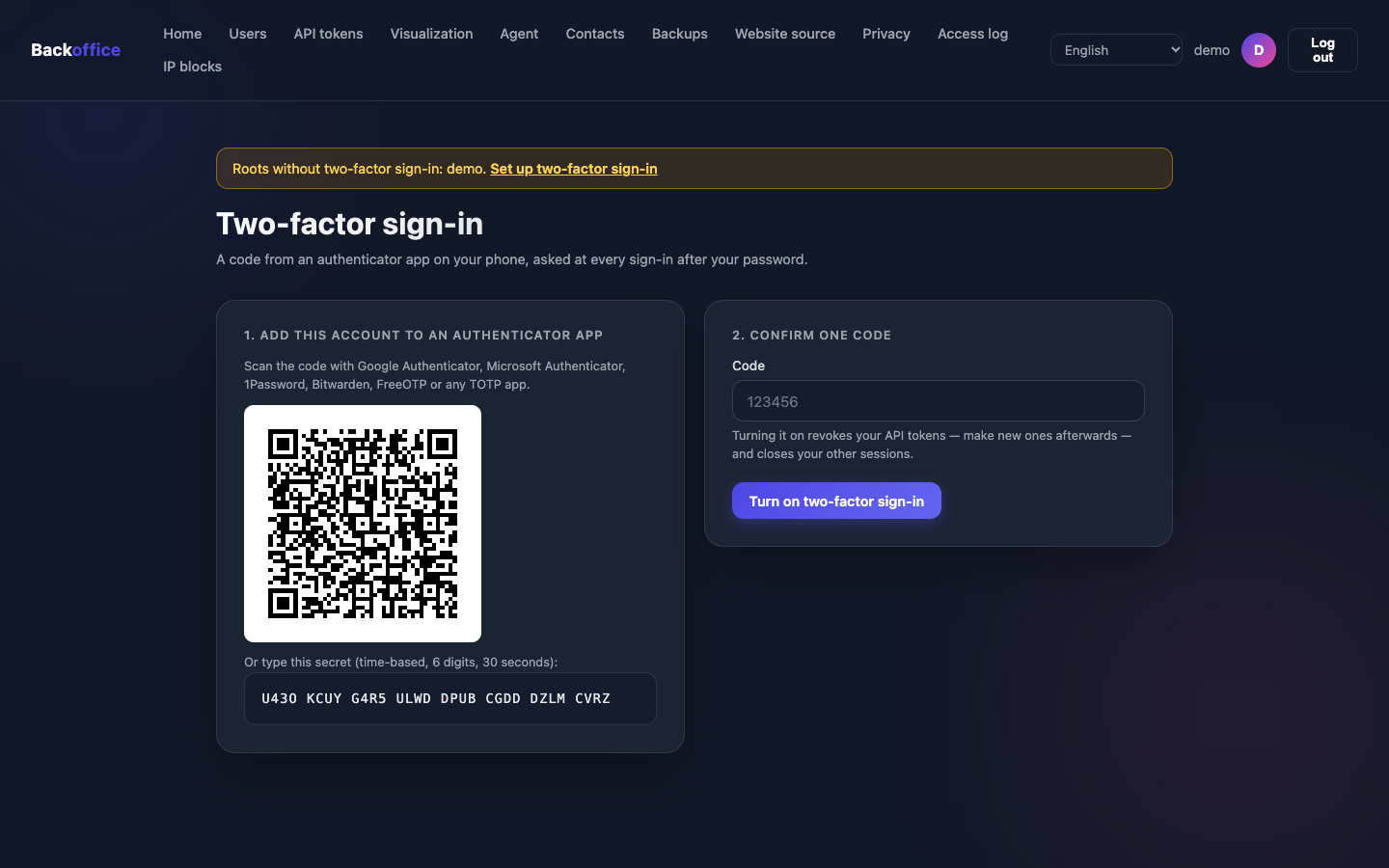
Block unwanted access
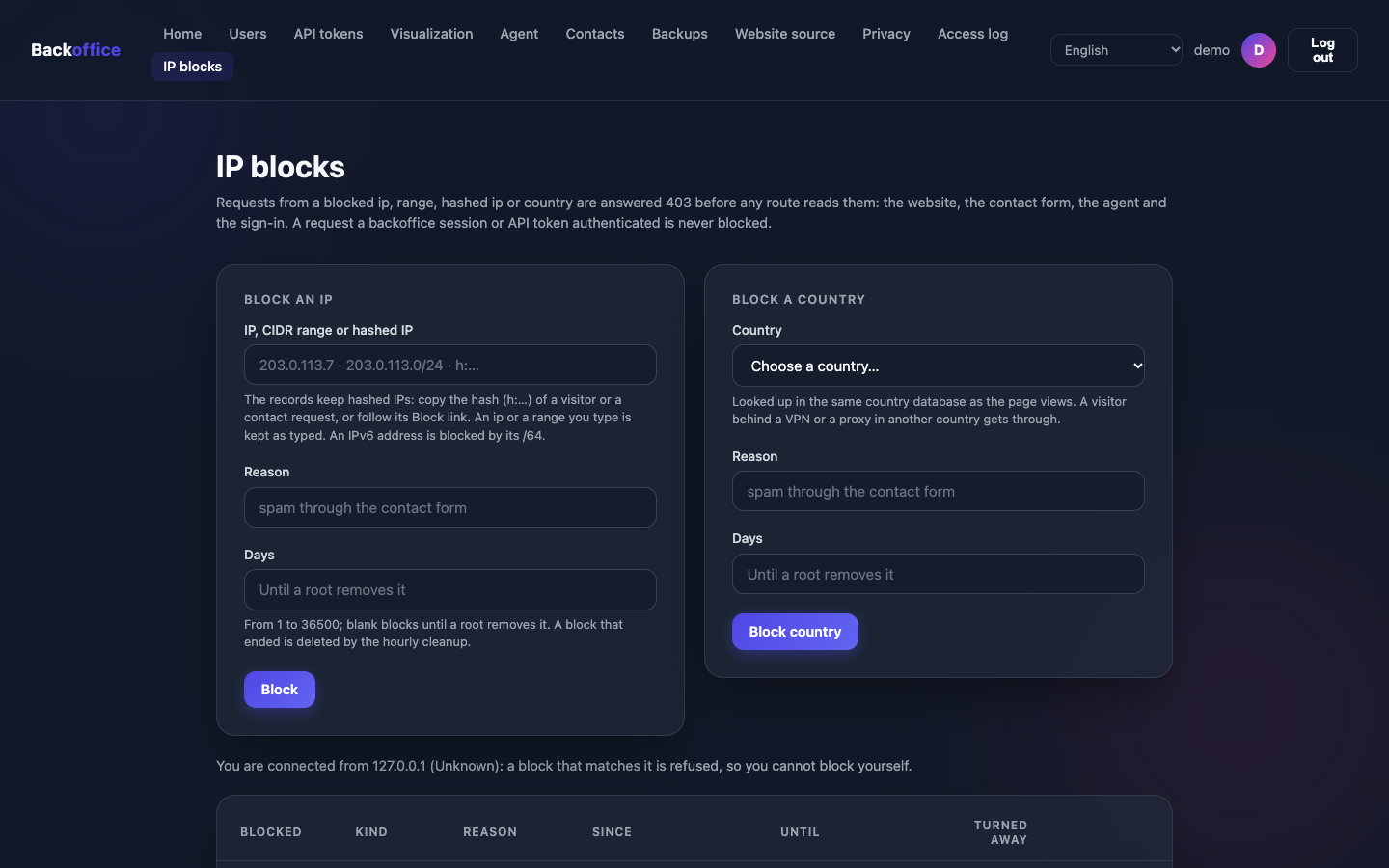
Someone sending spam through the form, or abusing the assistant? Block that address, a range of addresses or a whole country, for a few days or until you lift the block.
- A Block button next to each visitor and each contact.
- The block applies everywhere: website, form, assistant and sign-in.
- You can never block yourself by mistake.
Technical details
- A root blocks an IP, a CIDR range, a hashed IP or a country; their requests get
403before any route reads them. - A block lasts from 1 to 36,500 days, or until a root removes it.
emissario remove-ip-blocksis the way back from the command line.
Privacy
GDPR, LGPD and Marco Civil, from day one.
Privacy by default
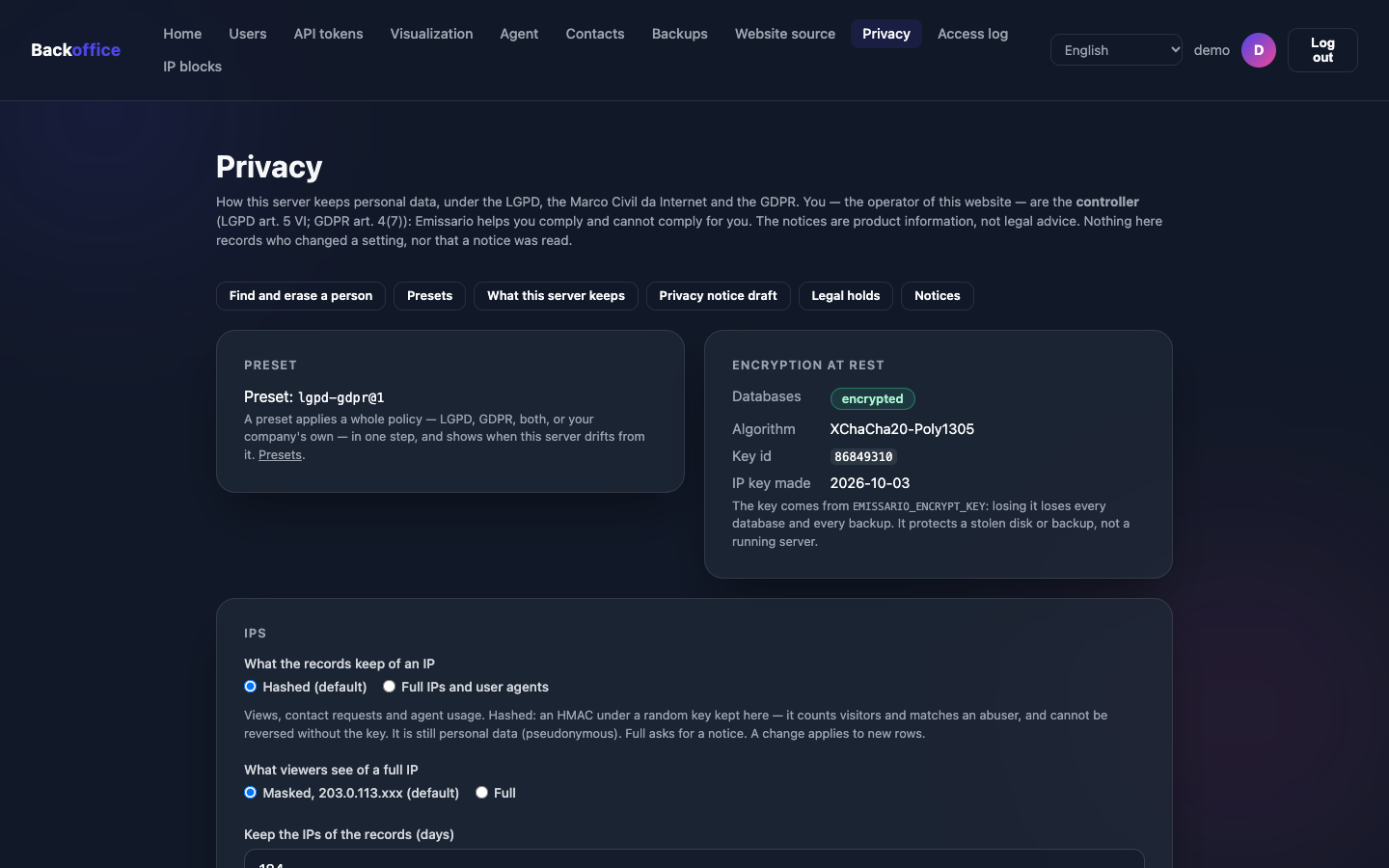
The controls the GDPR and the LGPD ask for come with Emissario, on from the start. When a choice could expose personal data, the dashboard warns you first and names the law.
- Everything stored is encrypted, unreadable without your key.
- Visitors' internet addresses are stored scrambled.
- Old data is erased on its own, after the time you set.
- Someone asked to see or erase their data? Find it and erase it from the dashboard.
- Ready-made settings for the GDPR, the LGPD or both, and a draft privacy notice.
- The access log Brazil's Marco Civil requires, when you need it.
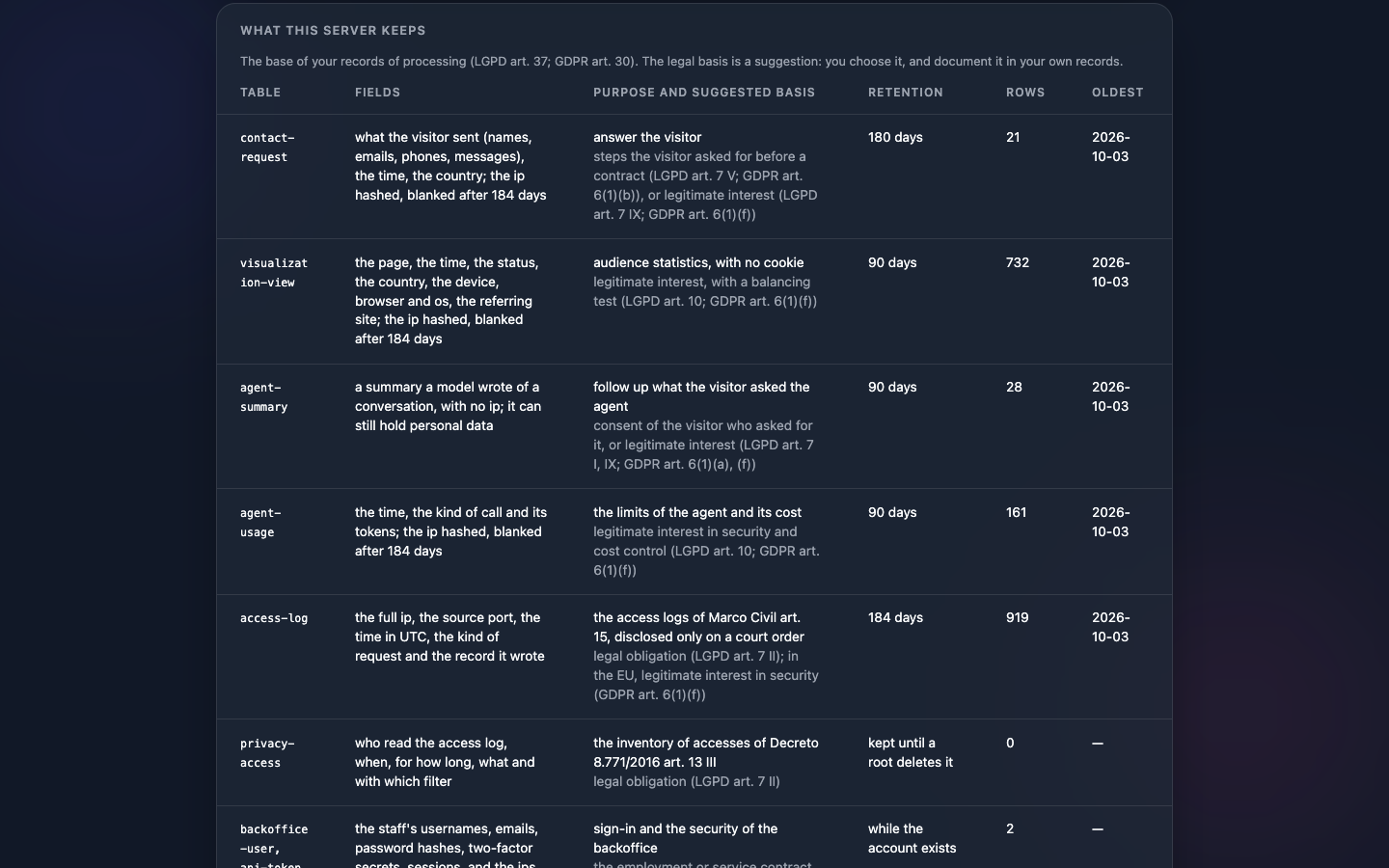
| Data | Kept by default |
|---|---|
| Contact | 180 days |
| Access log (Marco Civil) | 184 days |
| Internet address in the logs | 184 days |
| Visit | 90 days |
| Conversation summary | 90 days |
| AI usage | 90 days |
The notices are product information, not legal advice: whoever runs the website remains the data controller.
Technical details
- XChaCha20-Poly1305 with a key you generate;
rotate-encrypt-keyswaps it for a new one, snapshots included. - IPs stored as an HMAC-SHA256 hash with a random key, by default.
- A Marco Civil access log a root turns on, with the source port, named readers and an inventory of reads.
- Find and erase answers access and erasure requests (GDPR arts. 15 and 17; LGPD arts. 18–19).
- Legal holds keep a record past its retention until they are released.
- The
lgpd@1,gdpr@1andlgpd-gdpr@1presets.
Backups
Peace of mind if something goes wrong.
Backups in one click
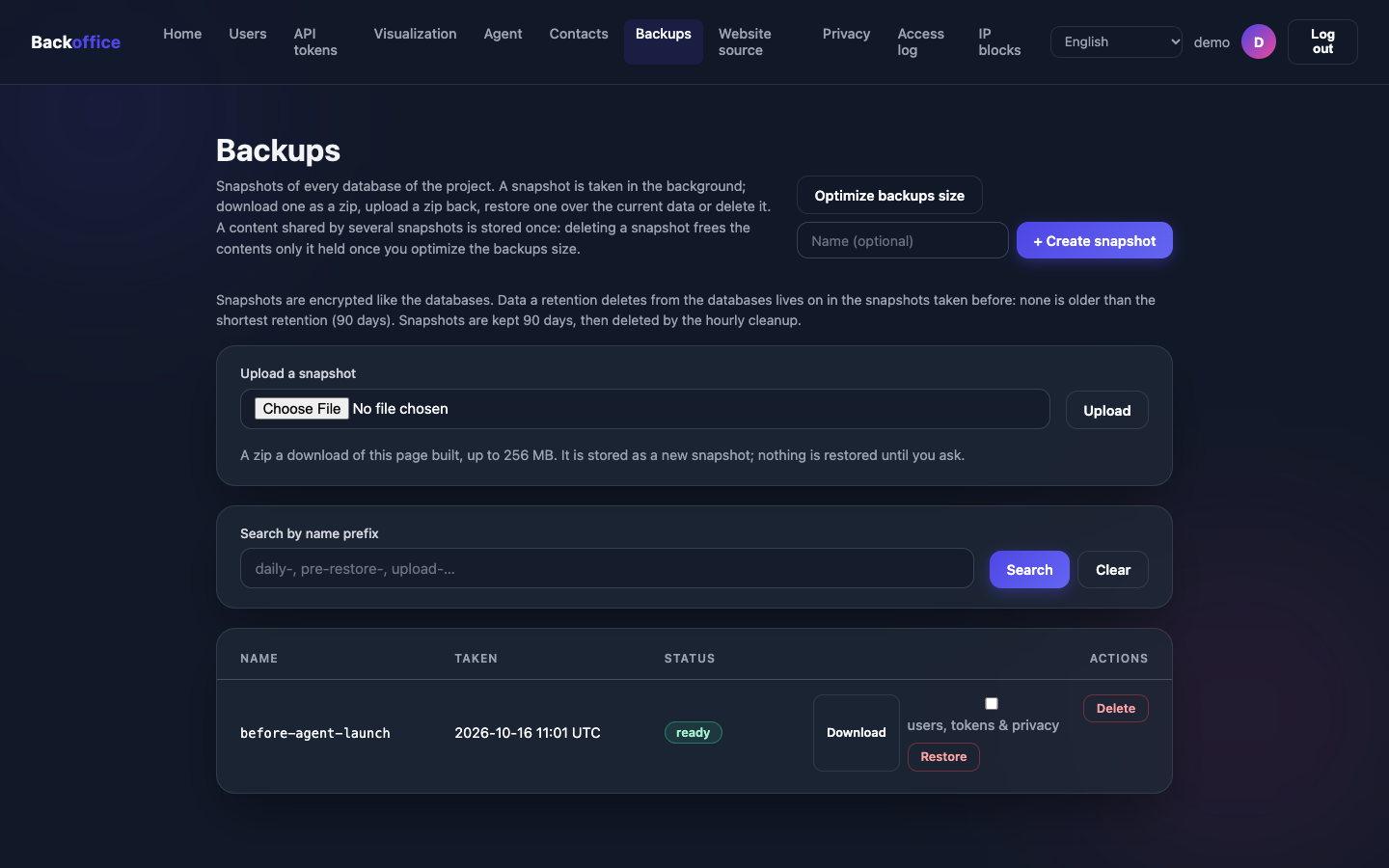
Take a copy of all the data whenever you like, download it to keep somewhere else, and restore it if you need to.
- If a restore fails, everything goes back as it was.
- Backups stay encrypted, and only open with your key.
- The website, the form and the assistant keep working while a backup is taken.
Technical details
- Snapshots of every database, taken in the background, then downloaded as a zip, uploaded and restored from the backoffice.
- The content of each file is kept once, however many snapshots hold it.
- A restore first keeps a copy of the current data, and puts it back if anything fails.
- Snapshots only restore with the same encryption key.
For developers
Automation and integration, for your technical team.
API tokens
Access keys for your technical team to automate the dashboard, each with an expiry date and limited to the addresses you allow.
Technical details
bo_and 64 hex characters, shown once: only its SHA-256 is stored.- Creating a token asks for the password again.
- Expires in 7, 30, 60, 90 or 365 days, on a date, or never; a viewer's within 90 days.
- Can be limited to some IPs and CIDR ranges.
- Revoked when the owner's password changes or two factors are turned on.
$ curl -X POST https://example.com/api/admin/list-contact-requests \
    -H "Authorization: Bearer $TOKEN" \
    -H 'Content-Type: application/json' -d '{"status":"inbox"}'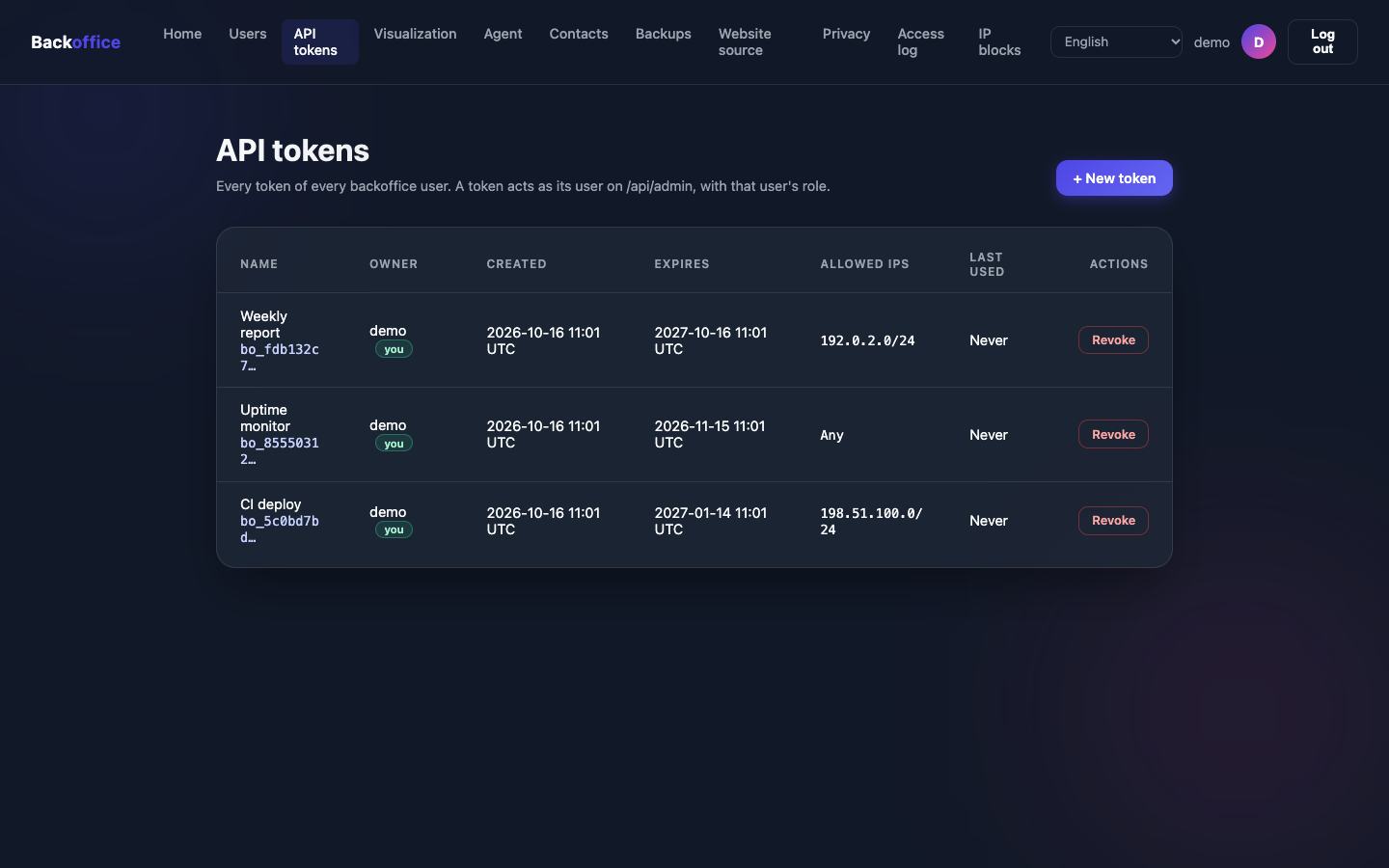
A JSON API for everything
Every backoffice page has a JSON twin under /api/admin, called with an API token. Failures always answer {"error", "field"}.
/openapi.jsonanswers the OpenAPI document of the routes, to import into Postman or open in Swagger UI./healthsays the server is up, for your monitoring.- Every route is documented with a request to run and what comes back.
$ curl https://example.com/health
$ curl -o openapi.json https://example.com/openapi.jsonSkills for coding agents
drop-front-skills and drop-agents-skills write into the website and the agent repositories the skills Claude Code, Codex and Antigravity load: the public routes the website calls, and the files the agent reads.
$ emissario drop-front-skills  --path ../my-site    # in the website repository
$ emissario drop-agents-skills --path ../my-agent # in the agent repository- Written to
.claude/skills/and.agents/skills/, in the Agent Skills format. - Run the command again after upgrading Emissario: the skill always matches the binary that wrote it.
- This website was built with the skill it describes.
Want all of this on your website?
Have Emissario set up by its creator, or install it yourself if you have a technical team.