For businesses, researchers and professionals

An AI assistant on your website, with you in control.

Emissario puts your company's, your project's or your own website online with an AI assistant that answers questions at any hour, using the information you gave it. You set how much the AI may spend, get every contact in one place and follow your visits on a simple dashboard, with the data kept on your own server.

Technical? Install it for free: Emissario is open source.

  • No coding needed
  • Your data on your server
  • No tracking cookies
  • Free and open source
this site's assistantAI assistant

You are talking to an AI, not a person. It can make mistakes. Your messages are sent to an AI provider (see Privacy): do not share sensitive personal data.

    Open the full chat

    This is this site's own assistant, running on Emissario. Ask it something: this is how it would answer your visitors. How it works

    • Any hourThe assistant answers visitors at night and on weekends too.
    • CappedYou set a daily limit on what the AI may spend: no surprise bills.
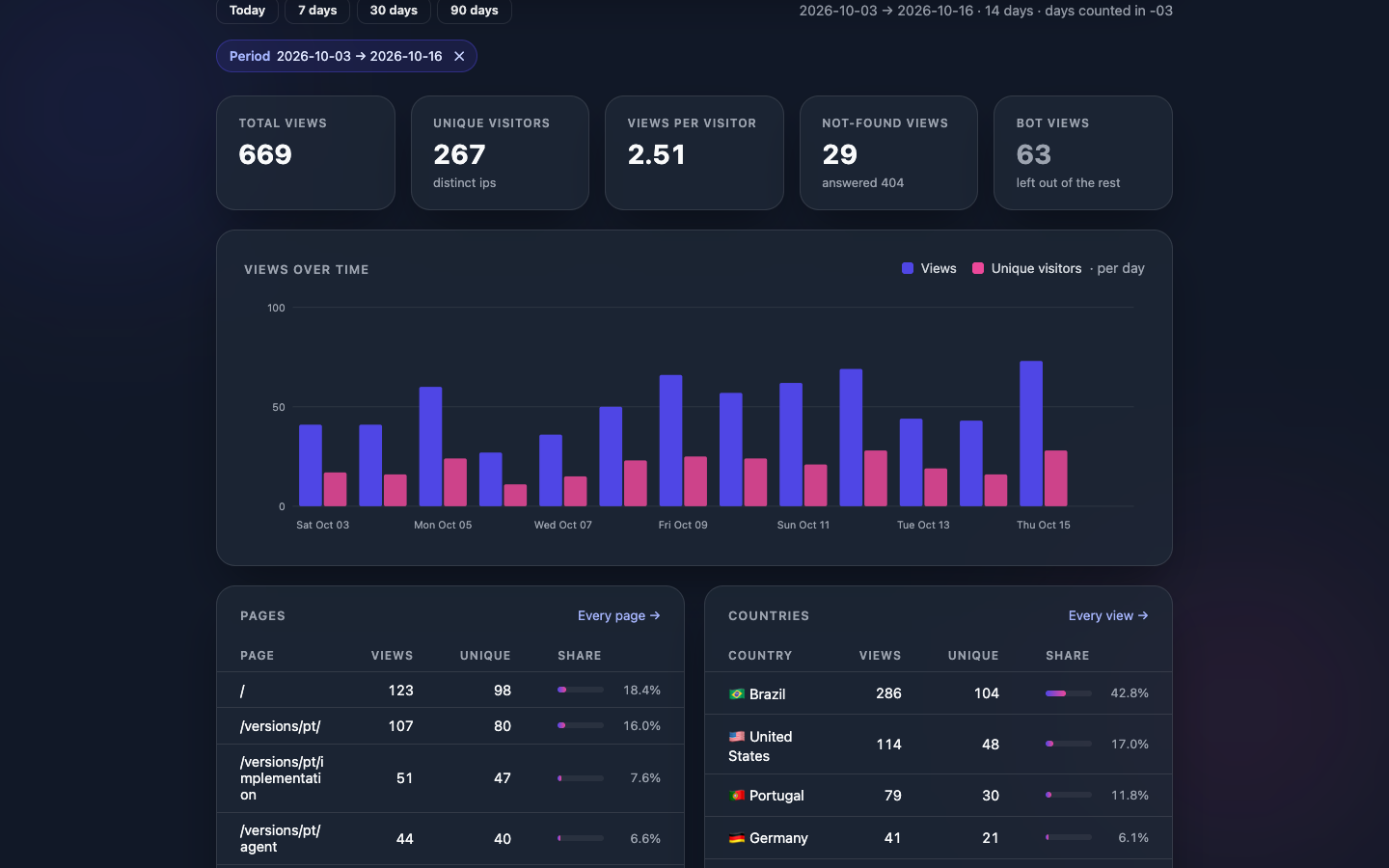
    • 1 dashboardVisits, contacts, conversation summaries and AI spend in one place.
    • 0 cookiesVisits are counted without tracking anyone or sending data to other companies.
    • GDPRThe privacy controls the GDPR and the LGPD ask for are built in.
    01 · Who it is for

    For anyone who needs a website that answers back.

    You do not need to understand technology: Emissario can be handed to you ready to use, set up by its own creator.

    Businesses and executives

    Answer customers outside business hours, answer the same questions once, and learn from the conversation summaries what people are looking for.

    Researchers and labs

    Present your project, publications and methods, and let the assistant explain your work to the public, students and partners, in your own words.

    Professionals and freelancers

    A website of your own, with an assistant that explains what you do, how you work and how to reach you, while you are busy working.

    Nonprofits and social projects

    Explain your cause and the ways to help and take part, and answer volunteers and supporters at any hour.

    02 · The AI assistant

    A front desk that speaks for your website, on your terms.

    You decide what it knows and how much it may spend. It talks to your visitors, says it is an AI, and shows you what people want.

    Follow everything on a simple dashboard.

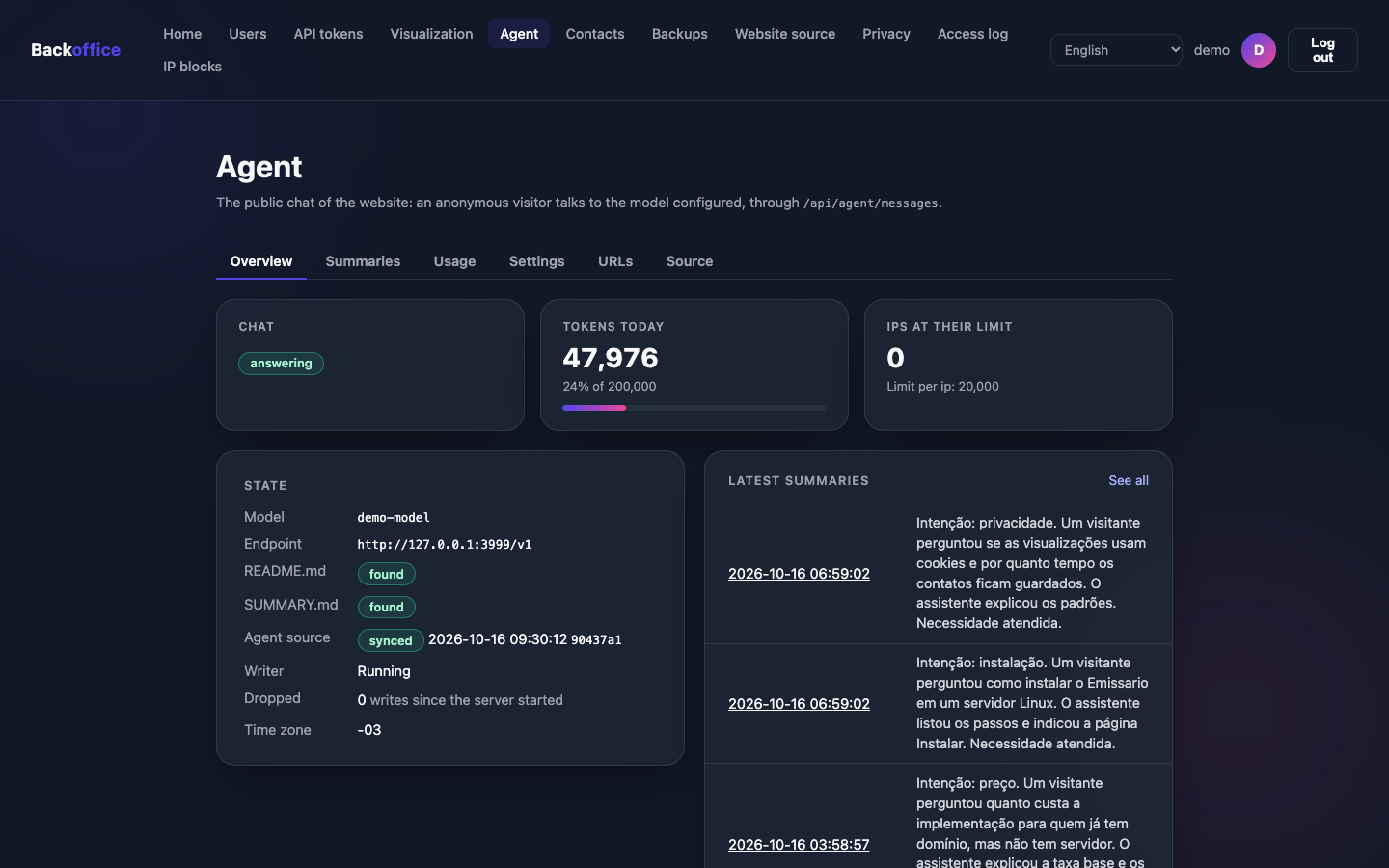
    In your browser, with the option of asking for a code from your phone at sign-in. See whether the assistant is answering, how much of the day's AI budget is used and what visitors asked for.

    • Who visited the site, which pages and from which countries.
    • The messages sent through the contact form.
    • The summaries of conversations with the assistant.
    • The day's AI spend, next to the limit you set.
    Dashboard · AI assistant The assistant's overview on the dashboard: whether the chat is answering, the day's AI spend and the latest summaries
    The assistant's overview on the dashboard, with demo data.
    03 · How it works

    From first contact to a live website.

    With the set-up service, everything is configured for you. After that, keeping the website and the assistant up to date is a matter of editing texts.

    1. 01

      Your website goes live

      At your own address, such as yourcompany.com, with the padlock of a secure site.

    2. 02

      The assistant learns about you

      You write, in plain words, what it needs to know, or you explain it in a conversation and the texts are written for you.

    3. 03

      You follow it on the dashboard

      Visits, contacts, conversation summaries and AI spend, behind a protected sign-in.

    4. 04

      Update it whenever you like

      Changed a price or your hours? Update the text, and the website and the assistant update themselves.

    05 · Security and privacy

    Your visitors' data, protected and in your hands.

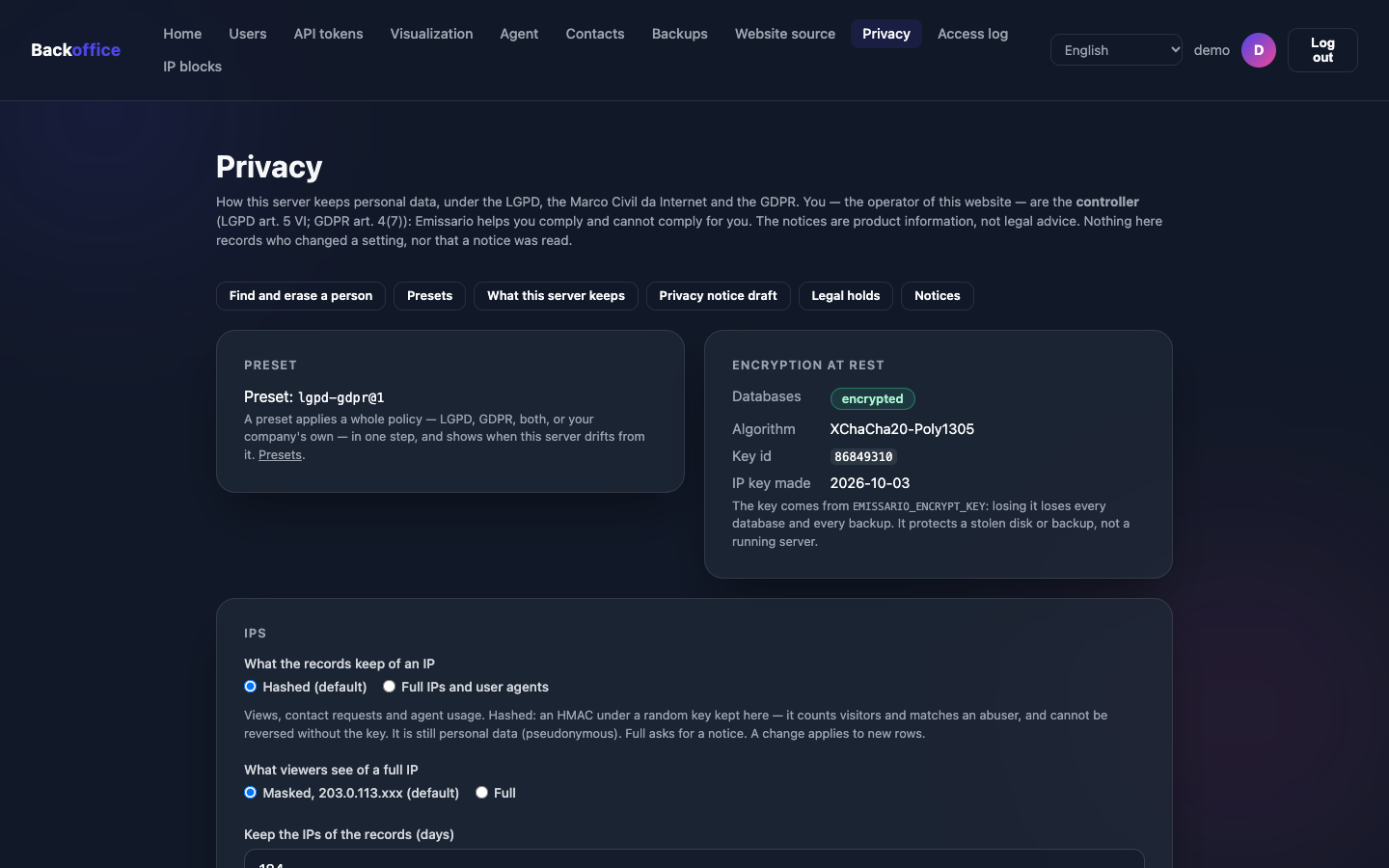
    Security and privacy are on from day one. When a setting could expose personal data, the dashboard warns you first and names the law involved.

    The technical details, for your IT team
    • On your serverThe data stays on the server you rent, not on someone else's platform.
    • EncryptedEverything stored, backups included, is unreadable without your key.
    • Anonymous visitorsVisitors' internet addresses are stored scrambled, not as they arrived.
    • Sign-in with a codeYour team signs in with a password and a code from their phone.
    • GDPR and LGPDReady-made settings for each law, and access and erasure requests handled from the dashboard.
    • An AI that says soThe assistant says it is an AI, as the EU AI Act asks.
    • Conversations off the serverThey stay in the visitor's browser and only pass through the AI provider, to write each answer.
    • Blocked accessTurn away an address or a country before it reaches the website.
    06 · What it costs

    No software subscription.

    Emissario itself is free. You only pay for what you use, directly to each provider, and, if you want it, the set-up service.

    Free

    The software

    MIT license: free to use as you like, with no subscription and no time limit.

    One-time

    The set-up service

    Optional: everything set up by Emissario's creator. The implementation page shows whether it is available and what it costs.

    See the set-up service
    Monthly and yearly

    Server and address

    The rent of the server in the cloud and the yearly fee of the domain, paid directly to the provider you pick.

    By usage

    The AI

    Billed by the AI provider by how much the assistant talks, within the cap you set. Or no per-message cost at all, with a model running on your own server.

    07 · Questions

    What people ask before they start.

    Do I need to know how to code?

    Not with the set-up service: Mateus Moutinho, Emissario's creator, sets everything up and hands it over working, with a session showing how to use the dashboard. Installing it yourself takes experience with servers, and the install guide is for people who have it.

    Can the AI get things wrong?

    It can, like any AI. That is why the chat warns visitors before the first message, the assistant says it is an AI, and it answers from the instructions you wrote. If an answer is not right, you adjust the text and it answers differently.

    How much will I spend on the AI?

    It depends on how much the assistant talks: the AI provider bills you directly for usage. On the dashboard you set daily limits, for the whole site and for each visitor, and follow the daily spend. When a limit is reached, the chat tells the visitor and comes back the next day.

    Which AIs can I use?

    Several providers: OpenAI (the company behind ChatGPT), OpenRouter and Groq, among other compatible ones. Or a model that runs on your own server, with Ollama, so that conversations never leave your infrastructure.

    Are the conversations stored?

    Not on the server. The conversation stays in the visitor's browser and is sent to the AI provider with each message, so that it can answer. If the visitor wants to, they send your team an anonymous summary, without names, emails or phone numbers.

    Is Emissario GDPR compliant?

    It comes with the controls the GDPR and the LGPD ask for: encrypted data, time limits that erase old data, a tool to find and erase a person's data, and ready-made settings for each law. The legal responsibility stays with whoever runs the website: the dashboard's notices are information, not legal advice.

    Can I keep the website I already have?

    Emissario publishes websites made of ready files (HTML pages, images and styles). If your current website is like that, it can be used. Websites that depend on a platform, such as WordPress or Wix, do not run on Emissario: then the set-up service can include a new website of up to 5 pages, with the chat and the contact form.

    What if I want to stop using it?

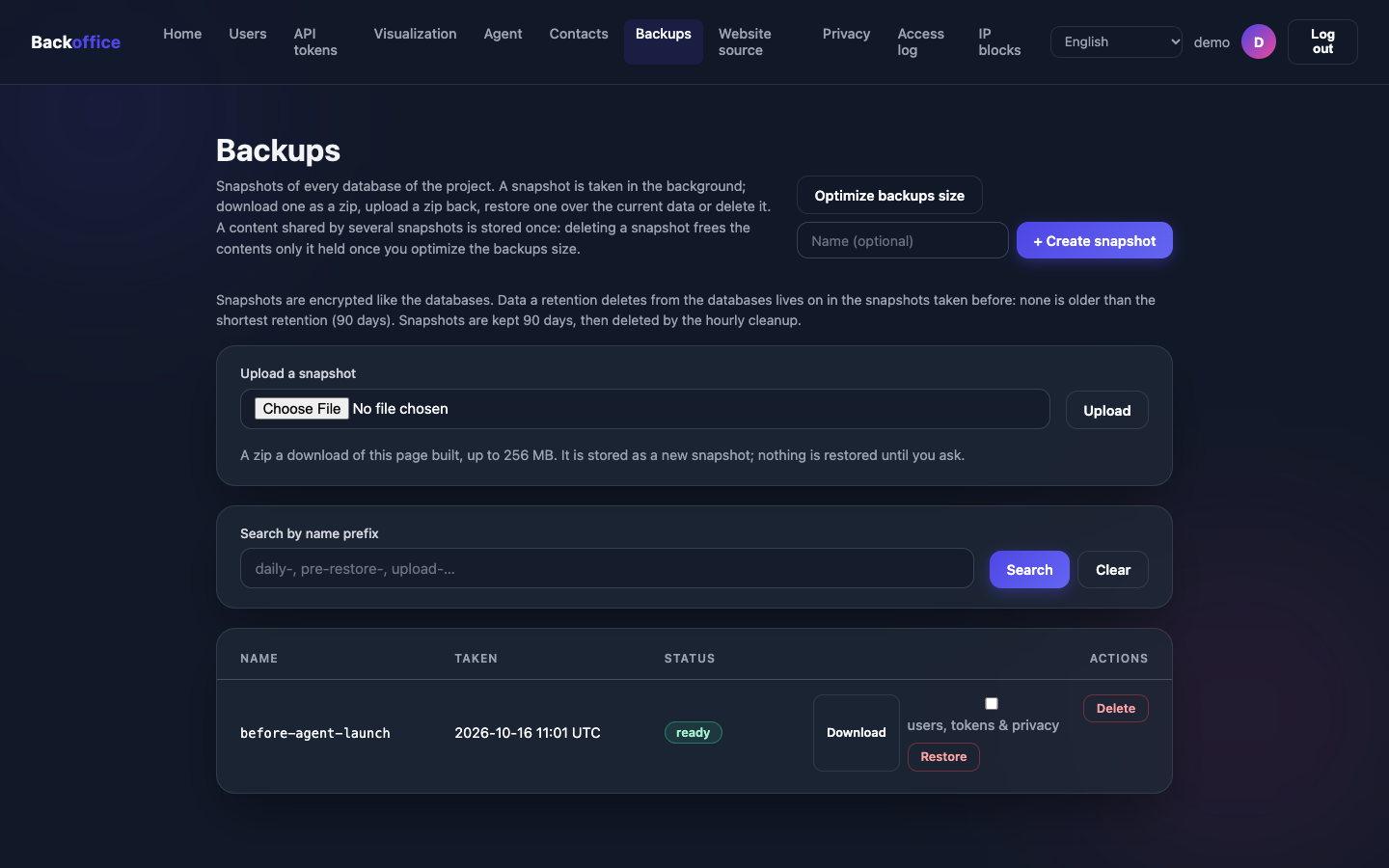
    There is no Emissario subscription to cancel: the software is open source (MIT license) and runs on your server. The data stays with you, and backups can be downloaded at any time.

    Is Emissario a new product?

    Yes. It is in beta (version 0.x): it works, but it may still have bugs. Problems are reported and followed in the open, on GitHub.

    08 · Get started

    Two ways to start.

    Have it all set up for you, or, if you have a technical team, install it at no cost.

    Free · MIT license

    Install it yourself

    For people with server experience: Emissario is free and open source. Install the program, create a user and point it at your website's repository.

    • Ready-made builds for macOS, Linux and Windows.
    • Every feature documented on GitHub.